
Your restaurant, under control.
Simplify payments, organize your operation and discover an easier way to run your business.
Payments processed by 


Accept





- Cash
- Terminal
- Split tender
Fewer trips to the table. More time for your guests.
-
Guests pay at the table
They scan the QR code, see their bill and pay from their phone.
-
The bill splits itself
Evenly or by what each person ordered. The panel divides whatever is left.
-
Tickets straight to the kitchen
Every dish goes to its own station, kitchen or bar, with its modifiers.
-
Cash-out without the math
The panel works out the expected amount. You just count the cash.
-
Recipes that cost themselves
From your purchase prices, every recipe shows its food cost.
Your guests scan, pay and keep enjoying their meal.
- They scan the QR codeOn the table or on the printed check. No app to download, no account to create.
- They split the billEvenly or by what each person ordered. If someone already paid in cash, the rest divide only what is left.
- They pay with Apple Pay, Google Pay or cardWith the tip they choose. The table is marked as paid in your panel automatically.

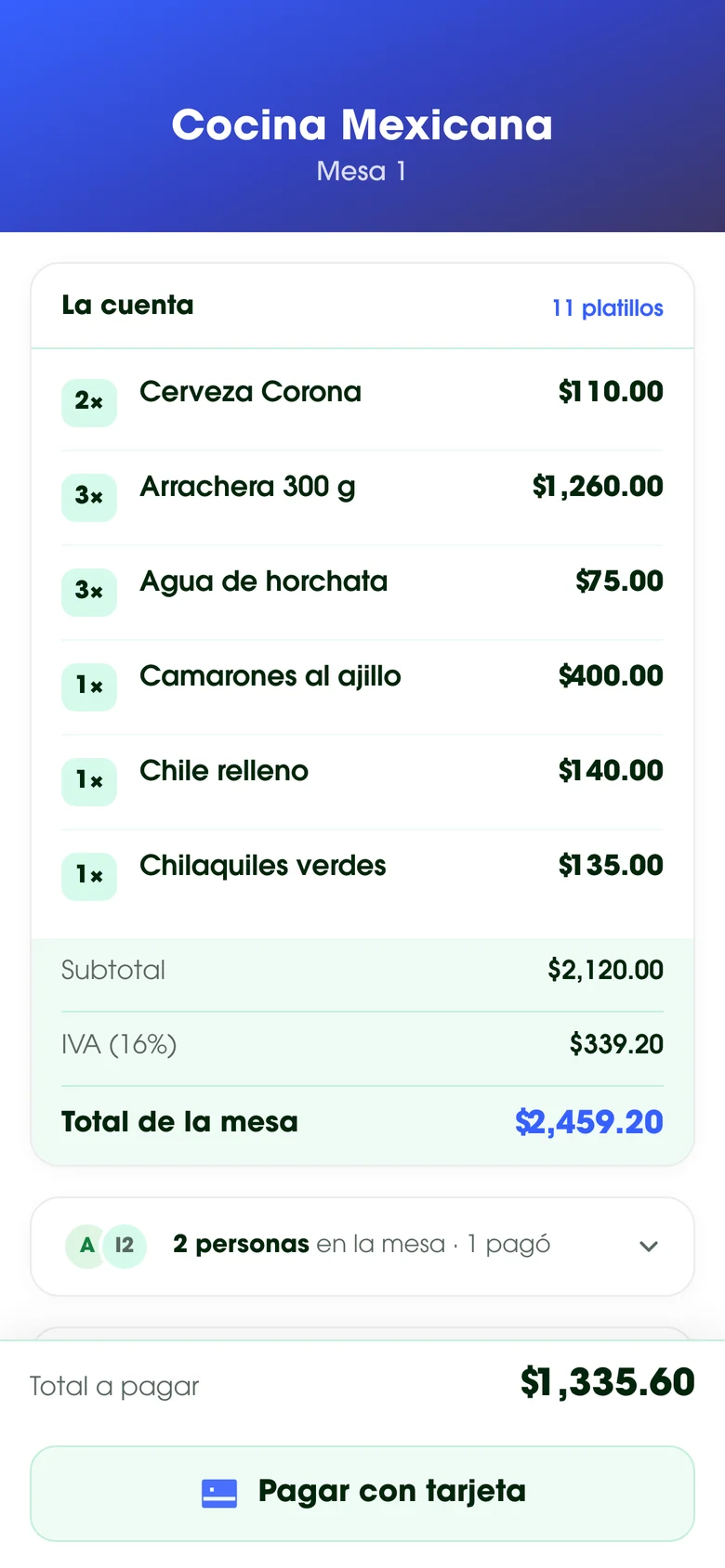
| 2 Corona beer | $110.00 |
| 3 Skirt steak 300 g | $1,260.00 |
| 3 Horchata | $75.00 |
| 1 Garlic shrimp | $400.00 |
| 1 Chile relleno | $140.00 |
| 1 Green chilaquiles | $135.00 |
| 1 Enchiladas suizas | $130.00 |
| 1 Esquites | $100.00 |
| 1 Americano | $40.00 |
Scan and pay your share from your phone
Your whole restaurant, in one place
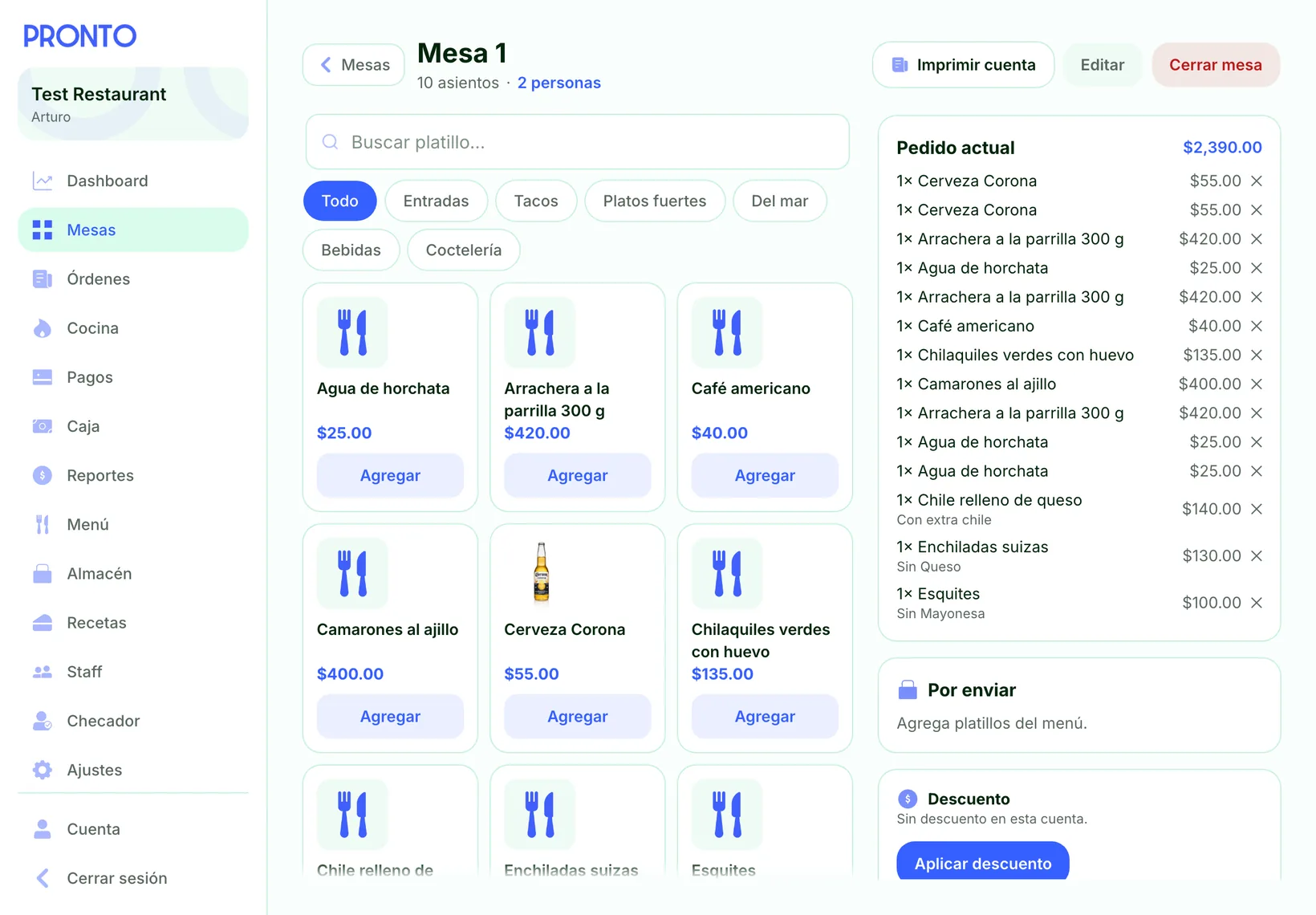
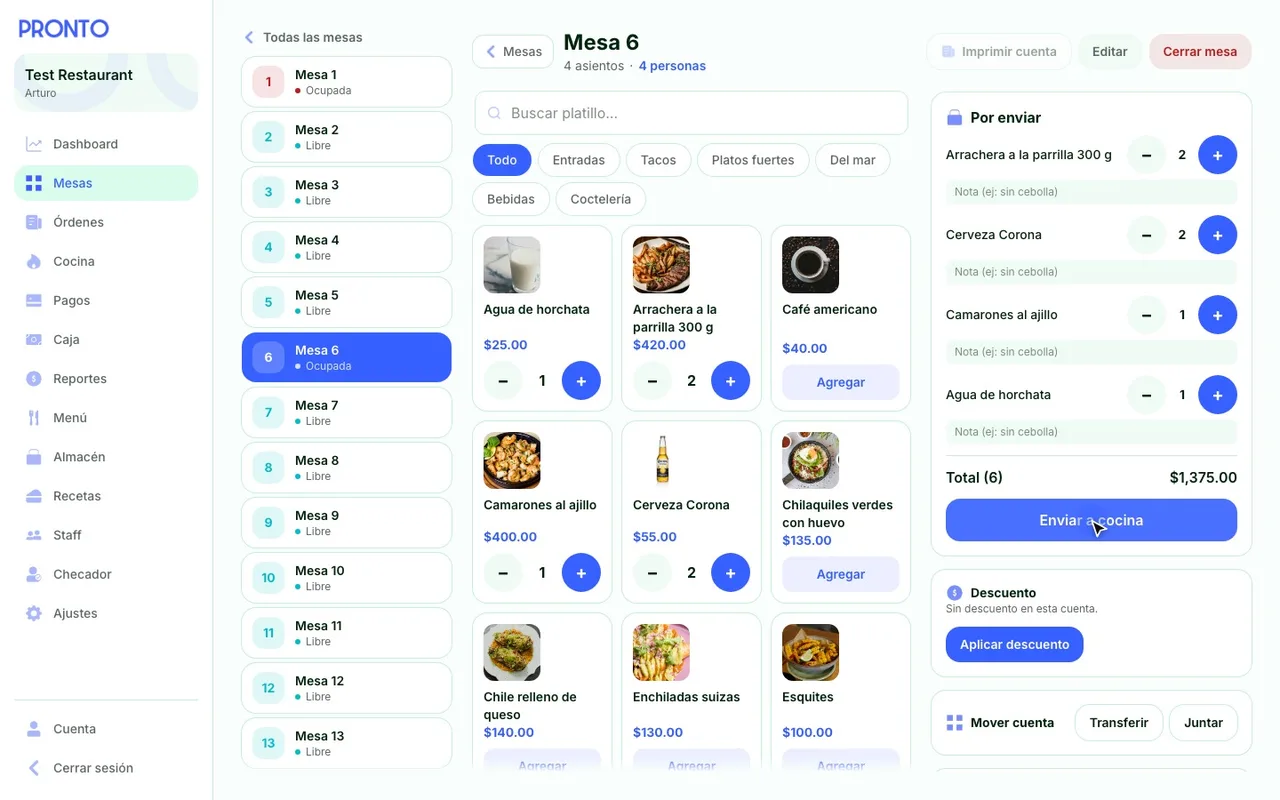
Open a table and take the order in seconds
Servers see the floor exactly as it is, open the table and add dishes from the menu.
- Floor plan by section, with each table’s status and total
- Modifiers per dish: “no cheese”, “extra chili”
- Discounts and comps, transfer or merge checks
- Print the check with server, receipt number and a QR code to pay
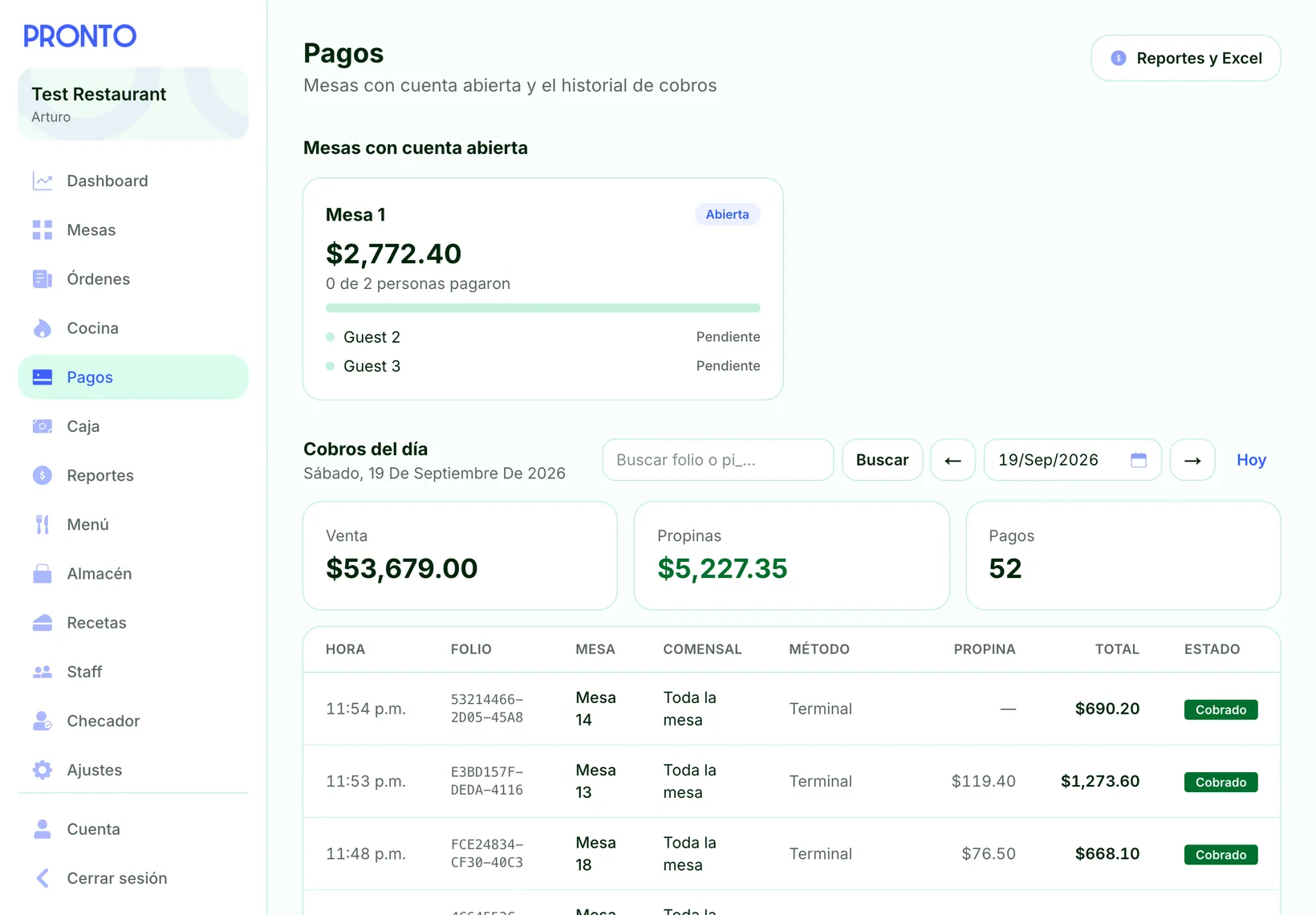
Every payment, with its receipt number, in real time
QR payments show up instantly, alongside everything collected in cash or on the card terminal.
- Split tender: part in cash, the rest by card
- Terminal payments with card brand, type and reference
- Find any receipt by its number, without knowing the date
- Shifts and cash-outs with the expected cash already calculated
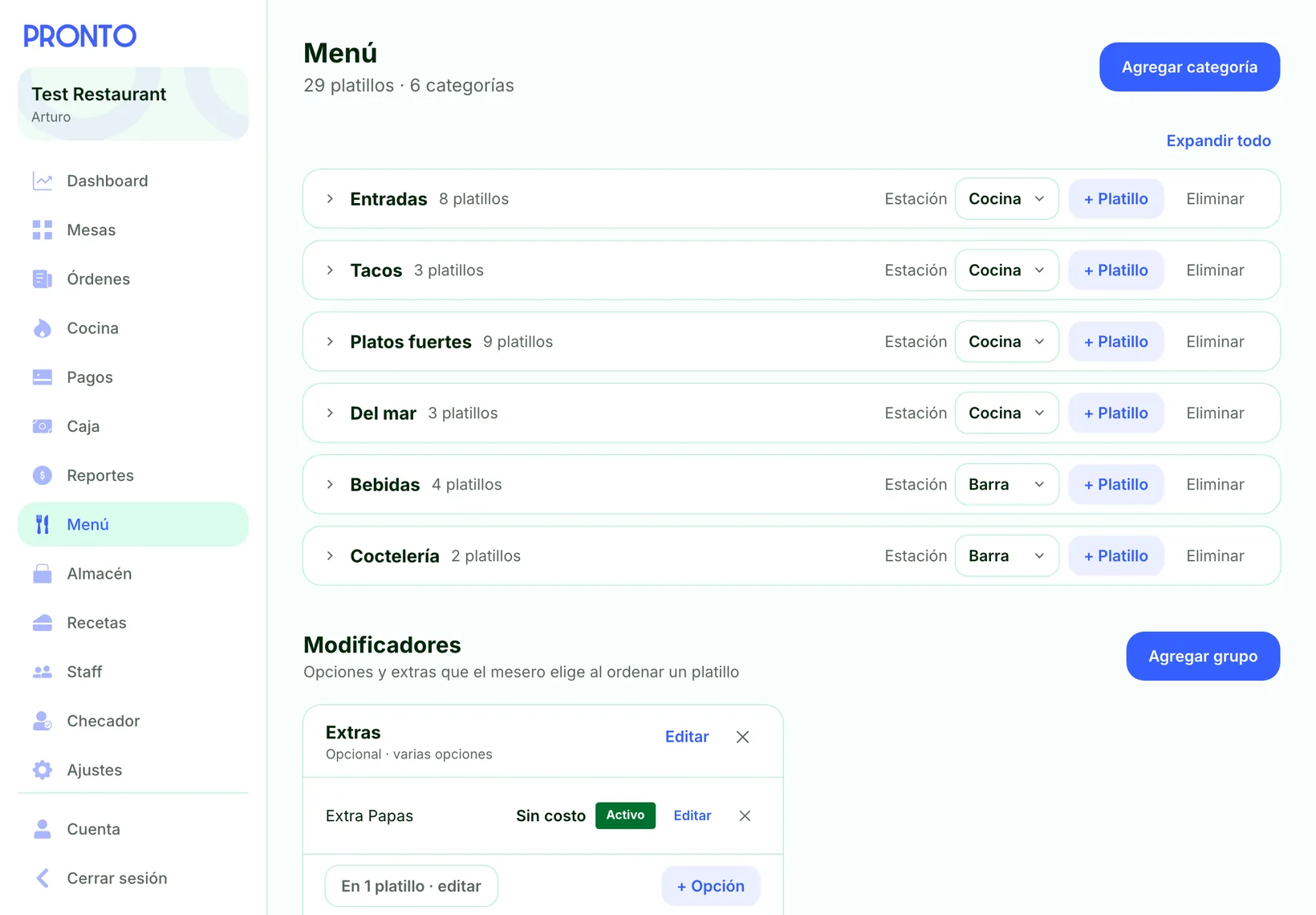
Update your menu anytime
Categories, dishes with photo and price, and modifier groups. Each category is routed to its station.
- Food to the kitchen, drinks to the bar
- Live, full-screen kitchen display
- Free or paid modifiers, on the dishes you choose
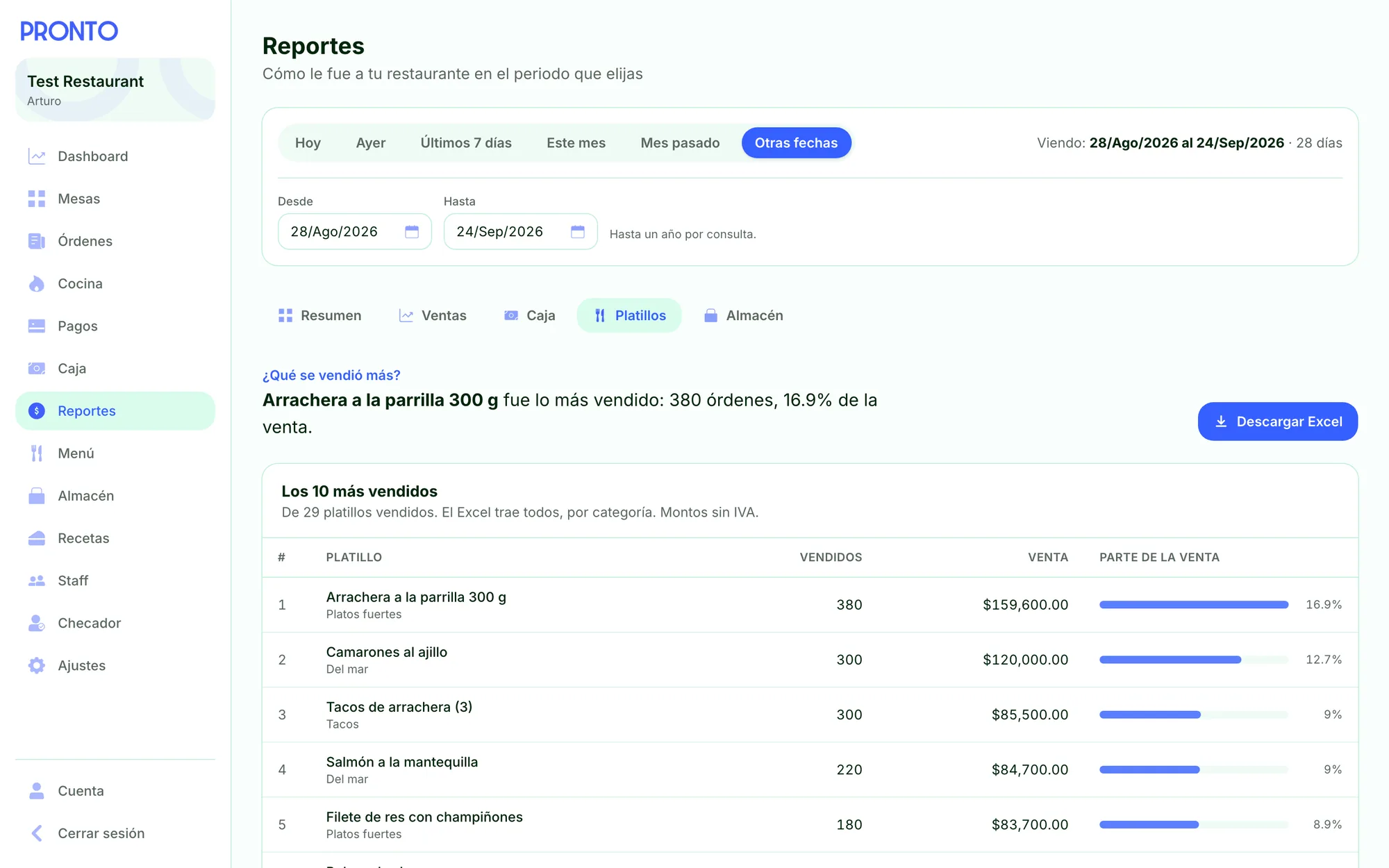
Reports that answer in one sentence
How much did I sell? Did the register balance? What sold best? Pick a period and the answer is up top, with the details below.
- Sales by day, cash register, dishes and inventory
- Today, yesterday, this week, this month or any date range
- Every report downloads to Excel
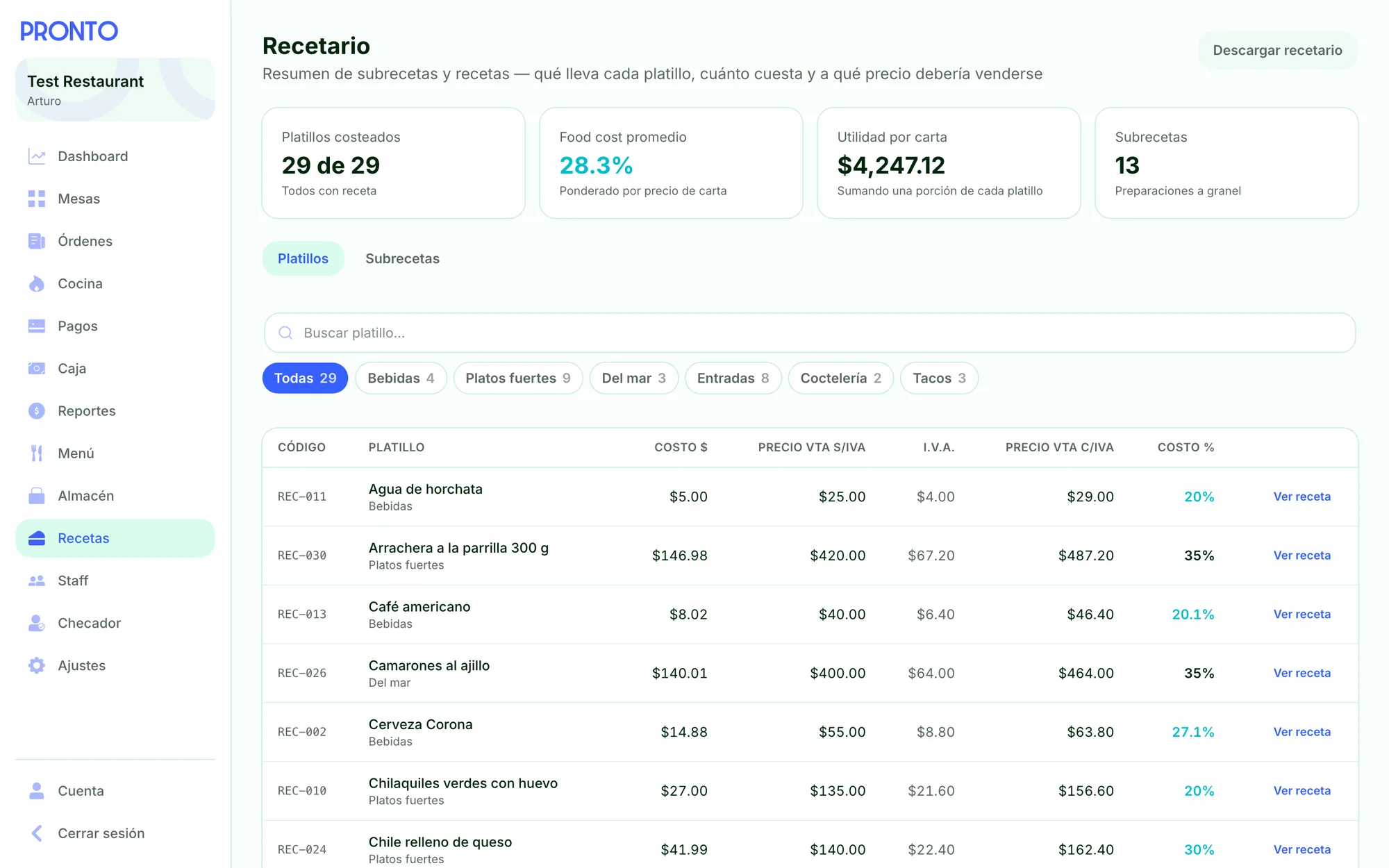
Know what every dish costs you
Each recipe adds up its ingredients and sub-recipes at your purchase prices and tells you what it should sell for.
- Cost, suggested price and actual food cost against your menu price
- Sub-recipes (sauces, sides) inside recipes
- Contingency and target food-cost % per recipe
- Download the full recipe book to Excel
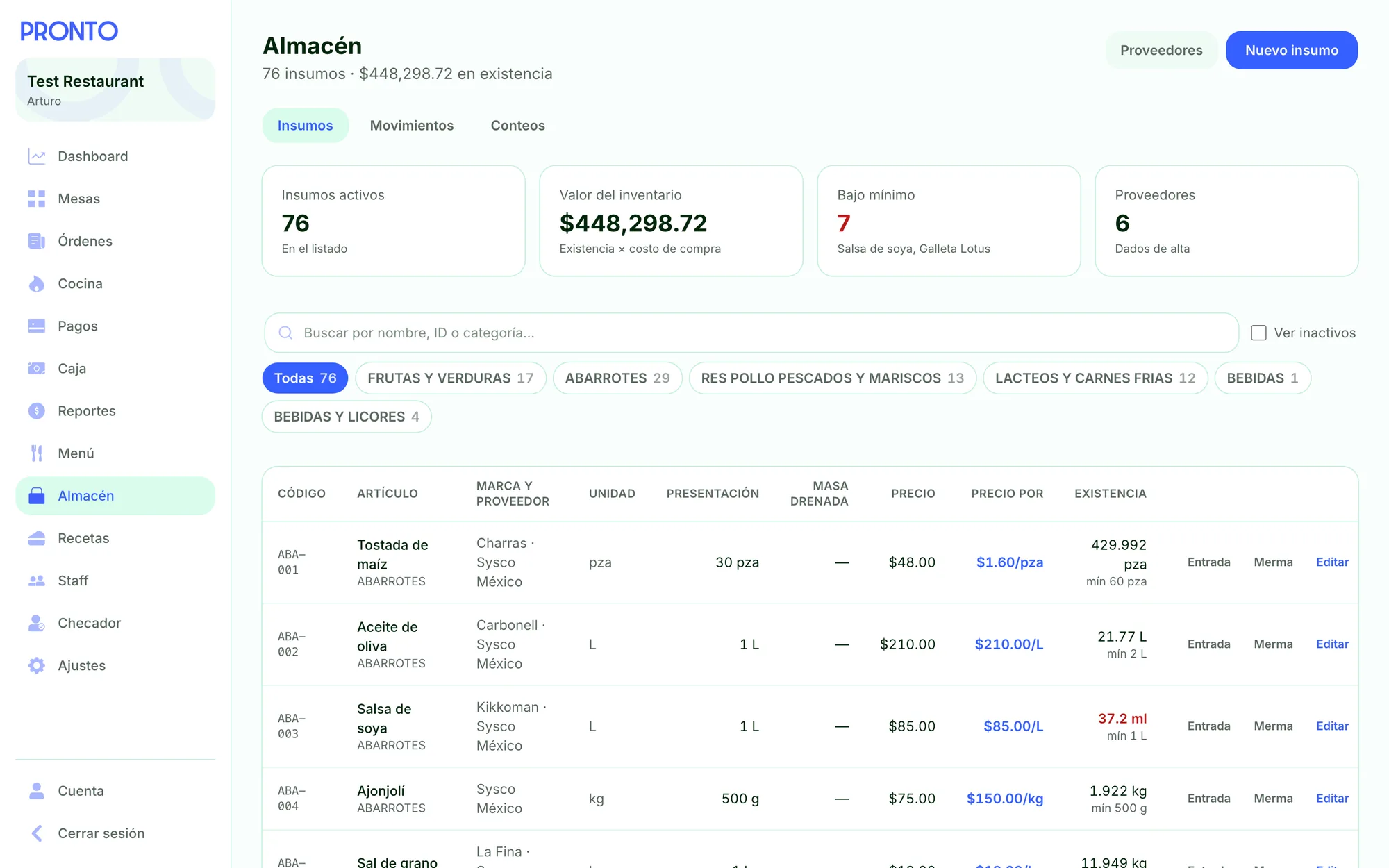
Inventory that updates itself
Every dish sold deducts its recipe from stock. You just log purchases, waste and counts.
- Ingredients by category, with supplier, pack size and code
- Buy it whole, cook it trimmed: yield is already factored in
- Items below par, front and center
- Compare expected versus actual usage between two counts
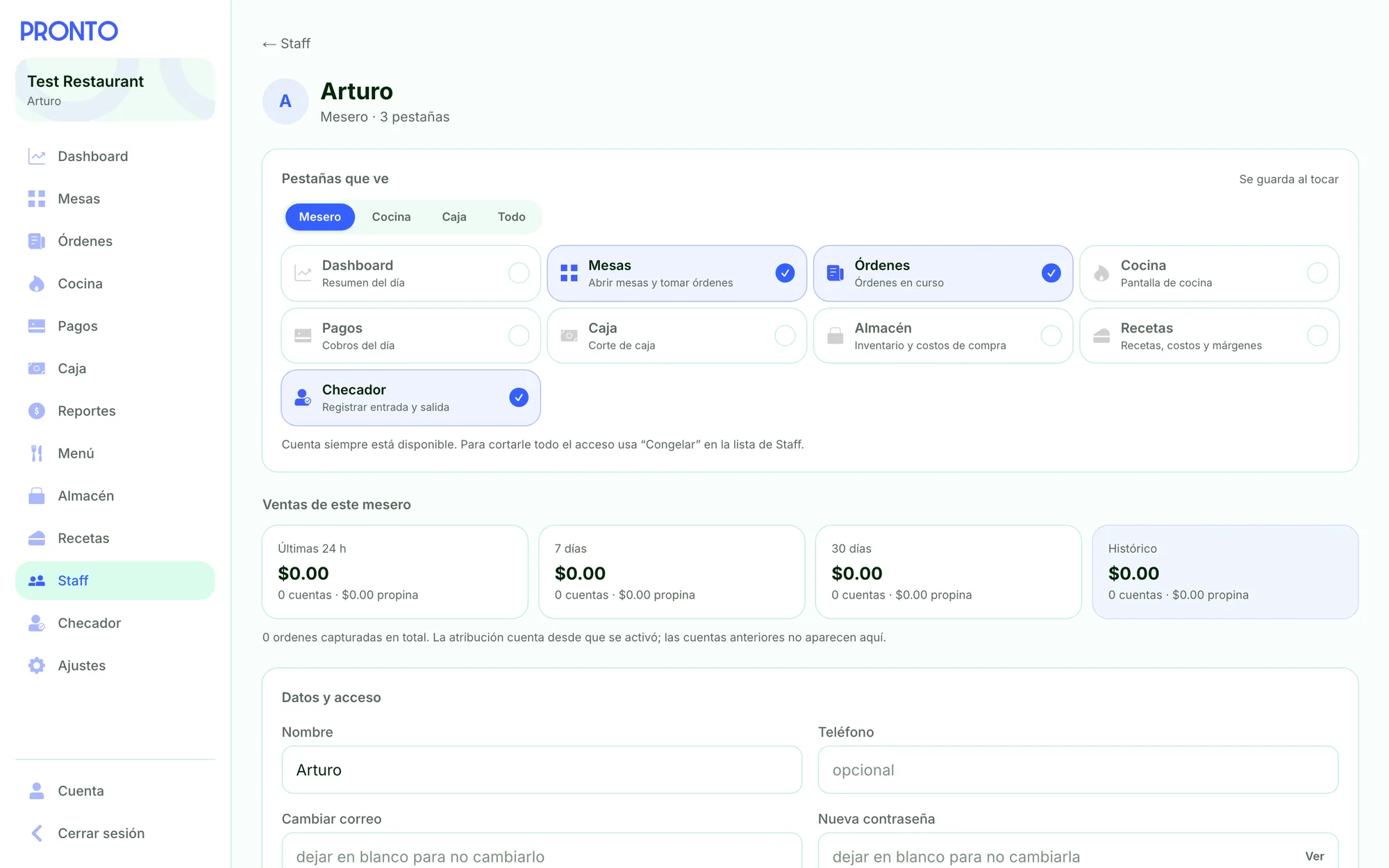
Each server sees only what they need
Invite your team by email. Everyone signs in with their own account and you choose which tabs they see.
- Per-person permissions: tables, kitchen, cash register, inventory…
- Sales and tips for each server
- Clock-in and clock-out
- Suspend access in one tap, without erasing history
Built for the day-to-day of restaurants in Mexico.
Tax and tip, your way
Set the sales tax (IVA) and the suggested tip. Guests can change the tip when they pay.
A cash-out that balances
Expected cash comes from sales and drawer activity. Nobody types it in.
Your food cost, no spreadsheets
Weighted by menu price, with every recipe costed.
Your tax details on every receipt
Your RFC and legal business name on the printed check, plus the link and deadline for requesting an invoice (factura) through your own system.
What’s running low
Inventory flags which ingredients are below par before service starts.
Per-person permissions
One server takes orders, another handles payments, the kitchen only sees tickets. You decide.
Your brand at checkout
Your logo and color on the payment page your guests see.
Your money goes straight to your account
This is how guests see the bill on their phone: nothing to download, they pay their share and they’re done.
- Straight to your StripeEvery payment lands in your restaurant’s account, not ours.
- Card data kept safeCard details are processed by Stripe and never pass through Pronto.
- No double chargesTwo people can’t pay for the same share at the same time.
- Your refunds, your rulesRefunds, disputes and payouts are handled in your own Stripe account.
Frequently asked questions
Do I need to buy hardware?
No. The panel runs in the browser, so it works on the iPad, tablet or computer you already have. For the kitchen, any screen with a browser will do.
Do guests have to download anything?
No. They scan the QR code with their phone’s camera and pay in the browser, with no app and no account.
Can I still take cash and use my card terminal?
Yes. You record cash and terminal payments on the same check, and if someone has already paid that way, the others split only what’s left.
Where does the money go?
To your restaurant’s Stripe account. You connect it when you sign up, and every payment is deposited there directly.
How much does it cost to accept cards?
Stripe charges 3.6% plus MXN $3, plus IVA, per successful payment, whether it’s Visa, Mastercard, American Express, Apple Pay or Google Pay. International cards add 0.5%. The fee is deducted from each payment in your Stripe account, and Pronto adds no commission on top. Cash and terminal payments you record don’t go through Stripe.
Does Pronto issue invoices for me?
No. You keep invoicing (CFDI) with your own system, as you do today. Pronto prints your RFC, legal business name, and where and within how many days to request an invoice on the receipt.
How do I sign up?
Email us. We set up your account, load your menu and send you QR codes for your tables to print. Then you connect Stripe and start taking payments.
Easy for your team. Simple for your restaurant.
or email soporte@prontopay.mx
Here to pay your bill? Scan your table’s QR code with your phone’s camera. Nothing to install.